

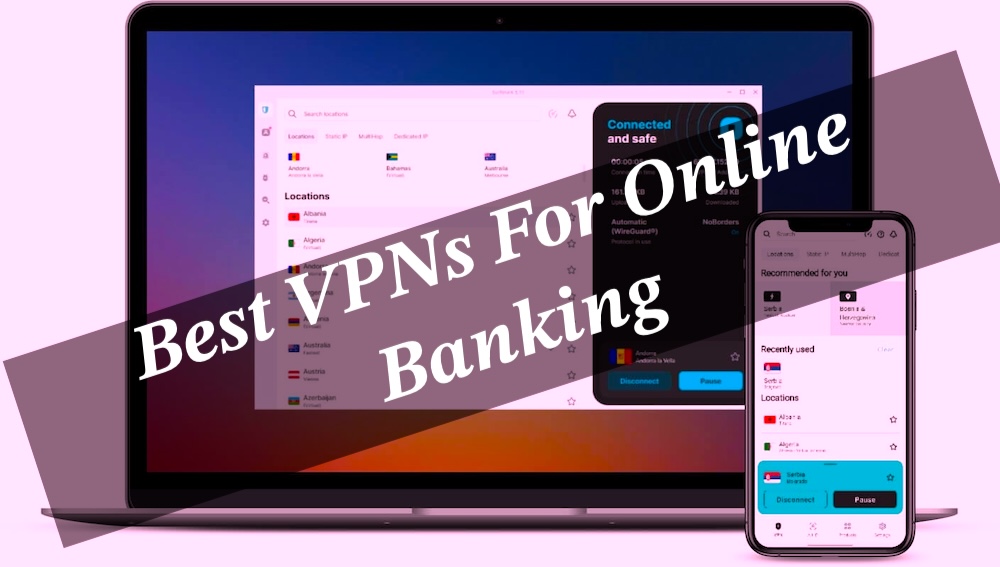
The Best VPNs for Online Banking: It’s easy to assume your banking app is basically a digital vault with lasers and guard dogs, especially with strong passwords and multi-factor authentication doing their job, but that confidence can get a bit shaky once you look closer. A VPN often ends up being the quiet extra layer that actually makes a difference for online banking, not because it’s magical, but because it reduces exposure in messy real-world networks where things can leak in ways nobody notices.
Outlines Of Guide
ToggleVPN for Online Banking 2026
The catch is that not every VPN is equally trustworthy — some have tiny gaps, weird logging habits, or occasional IP leaks that can quietly ruin the whole “secure connection” idea, and if you’re abroad, even a simple IP mismatch can trigger those annoying bank security flags. After testing a fair number of providers, the pattern is pretty clear: only a handful really hold up under pressure, and the rest just look good on paper while doing the bare minimum when it matters.
What Is It Safe to Use a VPN for Online Banking?
Short answer: yeah, a trusted VPN for banking is actually a pretty solid move, almost like putting your financial life behind an extra locked door you didn’t realize you needed. It wraps your internet traffic in encryption, hides it from snoopers on sketchy Wi-Fi, and keeps your ISP from casually peeking in—especially handy when logging in from places like cafés, airports, or those “we swear this Wi-Fi is fine” hotel networks where man-in-the-middle tricks love to hang out.
Why We Use VPN for Online Banking?
But it’s not some magical invisibility cloak. It won’t save you from clicking a fake banking link, getting tricked by phishing emails, or having malware already squatting on your device like an unwanted roommate. What it does do is stop your real IP from being exposed and keeps your connection from bouncing around in ways that might freak out your bank’s security system.
One catch though—some banks get a bit dramatic about VPN traffic, especially if the server keeps jumping countries like it’s on vacation, so sticking to a stable, nearby server usually keeps things smooth and less “security alert panic mode.”
Why Should You Use a Free VPN for Online Banking?
Free VPNs sound tempting at first — like that “why pay when this exists?” moment — but for online banking, they usually don’t hold up in real-world use. Sure, they can mask an IP address in a pinch, but most of them come with trade-offs that quietly pile up: slow, overloaded servers, missing locations (sometimes not even your own country), and performance that feels like wading through digital mud.
More worrying is the privacy side, where some free providers offset costs by logging user data or monetizing it in ways that don’t exactly inspire confidence, and in worst cases, that information can end up shared when legal requests come knocking. On top of all that, the basic safety features people assume are standard — like a kill switch or leak protection — are often half-baked or just missing entirely, which kind of defeats the point when dealing with sensitive banking activity.
Why You Need a VPN for Safe Online Banking
Online banking is honestly one of those small modern miracles — no more dragging yourself to an ATM in the heat, just a couple of taps and everything’s sorted, even that “latte money” situation. But that ease has a quiet trade-off lurking underneath it, especially when the connection shifts to something messy like public Wi-Fi in a café where half the people are probably on the same network.
That’s where a VPN starts to feel less like a tech buzzword and more like a practical seatbelt for digital life — not perfect, not magical, just a steady layer of protection that helps keep banking activity encrypted and a bit more private when the world around the connection isn’t exactly trustworthy.
- Online banking feels secure on the surface, but transactions are still a prime target for cyber threats — the kind that slip in quietly through things like malware, sniffing tools, ransomware, or random security gaps you don’t even notice until it’s too late. Bank apps do protect you, sure, but not always enough on their own, which is why a VPN kind of steps in as that extra “second lock” — encrypting traffic so even if someone tries to peek, all they get is unreadable noise.
- There’s also the privacy angle, which honestly hits differently once you think about it. A VPN masks the IP address, so online banking stops feeling like a glass room where someone could be watching over your shoulder. It’s not paranoia — just a simple way to keep sessions private and reduce exposure to data-hungry trackers or snoops lurking on the same network.
- And then there’s travel — the part most people don’t think about until a bank suddenly locks things down. Banks often flag “weird” login behavior, especially location jumps, so logging in from another country can look suspicious fast. That’s why users sometimes run into blocks or alerts abroad (yes, even big banks like Bank of America are known for strict security systems that don’t always play nice with travel). A VPN helps smooth out that digital “identity mismatch,” so access doesn’t turn into a guessing game of security checks and temporary lockouts.
The Top 3 Best VPN for Online Banking
There are tons of VPNs floating around out there, each one promising “military-grade security” like it’s a magic spell, but reality is a bit messier than the marketing pages suggest. A lot of them just don’t hold up when it comes to the kind of tight privacy and consistency needed for serious online banking — little leaks, shaky policies, or performance that falls apart when it actually matters.
After digging through and testing more than a few (and honestly, some were a bit disappointing), only a handful genuinely feel solid enough to trust with sensitive transactions, while the rest sit somewhere between overhyped and barely dependable.
For banking, you want a VPN provider with:
- Ironclad privacy and security, with robust encryption, a strict no-logs policy, and more.
- VPN blocking resistance.
- Fast and reliable servers.
- User-friendly apps compatible with the major operating systems.
- Access to expert assistance.
Fortunately, the following selection of the best VPNs for banking services will simplify your decision.
1. NordVPN
NordVPN keeps getting called the “top pick” for banking VPNs, and honestly, it’s not hard to see why—it feels like one of those tools that’s been stress-tested in real life, not just polished in a lab.
Speeds are the first thing that stand out; transactions and logins barely feel slowed down, almost like nothing’s there in the background. Security is clearly the obsession here: AES-256 encryption (the same standard trusted in serious government circles).
Does the heavy lifting, while the kill switch adds that extra “don’t even think about leaking data” safety net—whether it’s app-level or the full system cutoff when things go sideways.
- Jurisdiction:
- Server count: 7,700+ servers in 118 countries.
- Standout feature: Custom NordLynx protocol built around WireGuard.
- Compatibility: Windows, macOS, iOS, Android, Linux, ChromeOS, routers, gaming consoles, and more.
- Simultaneous connections: Up to 10 devices.
- Money-back guarantee: 30 days.
Then there’s the slightly over-the-top but kinda reassuring Double VPN feature, bouncing traffic twice like it’s paranoid in a good way, especially useful in stricter regions.
Based in Panama and backed by independent audits from firms like PwC and Deloitte, it leans heavily into the “we don’t log your life” promise. Works across pretty much everything—phones, laptops, even routers—and lets up to ten devices stay protected under one plan.
Add a 30-day refund window plus 24/7 support, and it lands in that rare category of software that feels both serious and a bit overcautious in a comforting way.
2. ExpressVPN
ExpressVPN sits in that polished-but-effortless category for online banking — the kind of tool that feels simple on the surface but is clearly built with a lot going on underneath.
Part of its appeal comes from being based in the British Virgin Islands, outside the 5/9/14 Eyes intelligence-sharing networks, which already gives it a more privacy-aligned starting point.
Then there’s TrustedServer tech, where everything runs on RAM-only infrastructure that gets wiped every reboot, so nothing is left hanging around in storage like digital leftovers.
It also keeps a strict no-logs policy, and this isn’t just a vague promise — it’s been independently audited by firms like KPMG and Cure53, which adds a layer of credibility that actually matters.
Security is handled with AES-256 encryption and a kill switch that kicks in automatically if the connection drops, so there’s no awkward moment where data slips out mid-session.
- Jurisdiction: British Virgin Islands.
- Server count: 3,000+ in 105 countries.
- Standout feature: TrustedServer technology.
- Compatibility: Windows, macOS, Linux, Android, iOS, ChromeOS, routers, browsers, gaming consoles, and more.
- Simultaneous connections: Up to 8 devices.
- Money-back guarantee: 30 days.
On the more “clever engineering” side, there’s obfuscation to disguise VPN usage entirely, which helps when networks try to detect or restrict it, plus split tunneling for those times when only banking traffic needs protection while everything else runs normally.
Performance-wise, it stays impressively fast thanks to its infrastructure and Lightway Turbo protocol, so it rarely feels like anything is being slowed down behind the scenes.
It also supports up to eight devices on one subscription, includes round-the-clock live chat support for the inevitable small tech hiccups, and comes with a 30-day money-back guarantee — which makes trying it feel less like a commitment and more like a low-risk test run.
3. CyberGhost
CyberGhost feels like one of those surprisingly well-rounded VPNs that doesn’t scream for attention but still quietly delivers a lot, especially for online banking, and all without feeling expensive or overcomplicated.
One of its more genuinely useful touches is Smart Rules with automatic Wi-Fi protection — basically the VPN switches itself on the moment an unsecured network is detected, which is exactly the kind of “I forgot to do it myself” safety net that actually matters in real life.
On the security side, it keeps things tight with features like DNS leak protection and modern tunneling protocols, which work together to stop sensitive banking data from slipping through unintended gaps.
- Jurisdiction:
- Server count: 12,000+ servers in 100 countries.
- Standout feature: In-house managed NoSpy servers.
- Compatibility: Windows, macOS, Linux, Android, iOS, routers, browsers, and more.
- Simultaneous connections: Up to 7 devices.
- Money-back guarantee: Up to 45 days.
There’s also an optional dedicated IP add-on, which helps reduce those annoying bank security flags by keeping online activity tied to a more consistent identity rather than a constantly shifting shared IP pool.
What’s interesting is how much emphasis it puts on transparency — this isn’t just talk, either, since it was one of the first VPNs to publish transparency reports and has even had its no-logs claims independently reviewed by firms like Deloitte.
That kind of external validation adds a bit more weight than the usual “trust us” claims most services lean on. And if it still doesn’t feel like the right fit, the 45-day refund window is unusually generous, almost like a long test drive instead of a typical trial period.
4. Surfshark
Surfshark comes across as one of those slightly underrated budget-friendly VPNs (especially on longer plans) that quietly does way more than you’d expect at first glance.
It’s not the oldest name in the space, but it still holds up surprisingly well for online banking, especially with features like Camouflage Mode and NoBorders — basically tools that either make VPN traffic look normal or help slip through restrictive networks without much fuss.
There’s also the option for a dedicated IP add-on, which feels a bit more “locked in,” since it keeps the connection tied to a single, consistent IP instead of bouncing around like shared networks sometimes do.
- Jurisdiction: The Netherlands.
- Server count: 3,200+ in 100 countries.
- Standout feature: Nexus with SDN technology for multiple server connections.
- Compatibility: Windows, macOS, Linux, Android, iOS, routers, browsers, and more.
- Simultaneous connections: Unlimited devices.
- Money-back guarantee: 30 days.
That can make banking sessions feel a bit more stable and less likely to trigger suspicious login flags. Speed-wise, it’s not trying to win races, but it stays steady enough for everyday banking, and the move toward 10 Gbps servers should only make things smoother over time.
On the security side, it doesn’t cut corners — AES-256 encryption, a kill switch, and leak protection are all there, plus a split-tunneling feature (called Bypasser) that lets traffic be routed selectively instead of forcing everything through the VPN tunnel.
And probably one of its most “why don’t more services do this?” perks: unlimited devices on a single subscription, which makes it feel less restrictive in real life use. If anything still feels uncertain, the 30-day refund window keeps it low-risk, more like testing the waters than committing upfront.
5. Private Internet Access
Private Internet Access earns its place among the better options for online banking mainly because it takes privacy and security seriously in a way that doesn’t feel like marketing fluff. It runs on RAM-only servers and sticks to a strict no-logs policy, so there’s nothing lingering around to trace back later, even if someone goes digging.
Being based in the U.S. (part of the Five Eyes setup) normally raises eyebrows in the privacy world, and honestly, that concern isn’t unfair—but in this case, the provider has tried to counter that skepticism with real-world proof, including court challenges and independent third-party audits.
What stands out more, though, is how flexible it feels without turning into a complicated mess. There’s room to tweak encryption between AES 128-bit and 256-bit, which is a nice balance between speed and heavy-duty security depending on what’s needed.
- Jurisdiction: The United States.
- Server count: Servers in 91 countries.
- Standout feature: Choice between AES 128-bit and AES 256-bit encryption.
- Compatibility: Windows, macOS, iOS, Android, Linux, routers, gaming consoles, and more.
- Simultaneous connections: Unlimited devices.
- Money-back guarantee: 30 days.
If the connection ever drops, the kill switch quietly steps in so nothing leaks mid-session, and the built-in MACE feature does a decent job blocking shady ads and sketchy banking lookalikes that try to slip through.
It also doesn’t play the usual “one-device limit” game—one subscription covers unlimited devices, which feels unusually generous in this space. And if it doesn’t end up being the right fit, there’s a 30-day refund window that makes the whole thing feel low-risk, almost like a trial run rather than a commitment.
What Is Other Steps to Ensure Your Online Banking Security/Privacy
A VPN is definitely a solid move in the right direction, but banking online isn’t really something that can rely on just one layer of protection and call it a day. It works better as a mix of habits and tools that quietly stack together, keeping things a step ahead of whoever might be trying their luck in the background.
- Strong, slightly annoying-but-necessary passwords — the kind that mix uppercase, lowercase, numbers, and symbols instead of anything obvious like birthdays or names. Honestly, it’s a hassle to remember them all, so a password manager usually ends up saving the day here.
- Two-factor authentication (2FA) — that extra step most people roll their eyes at, but it actually matters. A quick code on the phone after the password adds a second lock that makes unauthorized access way harder than it should be otherwise.
- Staying alert for phishing tricks — because suspicious emails and sketchy links are still one of the easiest ways people get caught off guard. If something feels slightly “off,” it usually is.
- Keeping apps and devices updated — not exciting, but important. Those updates quietly patch security gaps in the background, even if they mostly feel like annoying pop-ups at the worst possible time.
- Using secure Wi-Fi — especially avoiding random public networks that feel convenient but aren’t really safe. If there’s no trusted connection, a VPN becomes the safer fallback instead of rolling the dice.
How to Use VPN In Online Banking Safely
Protecting banking activity with a VPN is actually simpler than it sounds — more like a small checklist than anything technical or intimidating. It basically comes down to a few straightforward steps that, once set, quietly do their job in the background while everyday transactions carry on as usual.
1. Choose a Reliable VPN for Banking
Nobody really wants to pick a VPN that turns out to be a dud after the fact, especially when it comes to something as sensitive as banking. It’s worth going for a provider that actually checks the important boxes — solid encryption, a strict no-logs policy, and performance that doesn’t fall apart the moment you need it most.
Something dependable like NordVPN tends to sit comfortably at the top of the list, though honestly, any of the well-tested options in the same league can do the job just fine if they stick to the fundamentals without cutting corners.
2. Install the App
Head over to the VPN’s official site, set up an account, pick a plan that fits your budget or patience level, and complete the payment — nothing fancy, just the usual signup flow. After that, download the right app for your device and install it like you would any regular software.
And if anything feels slightly confusing along the way (it sometimes does, even when it shouldn’t), there are help guides tuck on the site and support teams you can reach out to, which honestly makes the whole setup less intimidating than it first looks.
3. Connect to a VPN Server
Open the VPN app, sign in, and it’s basically just a quick setup moment from there — nothing dramatic, just choosing a server and getting connect. The key detail is picking a location that matches where the bank expects you to be, since that’s what keeps things running smoothly without unnecessary security hiccups.
So, for something like accessing a Bank of America account from outside the country, selecting a U.S. server is usually the straightforward, no-surprises move that helps avoid those frustrating “something looks suspicious” blocks.
4. Bank Safely Online
Once the VPN is connect, banking kind of falls back into its normal, boringly familiar flow — checking balances, shifting money around, the usual routine — but without that low-key background worry about whether the connection feels a bit too exposed. It’s not some complicated tech ritual either; more like flipping a quiet switch that just sits there doing its job in the background.
And for those who like to tinker a little, there are usually a few extra settings hiding in plain sight — not necessary, not life-changing, just small adjustments that let the whole setup feel a bit more personal and less “one-size-fits-all.
How We Ranked these VPNs For Banking
While every VPN touts its privacy capabilities, they are not all on the same level for online banking. Some are downright terrible options to opt for.
Here’s what we looked out for while making this list:
- Strong privacy and security setup — not the flashy marketing kind, but real protection: solid encryption, a strict no-logs approach, and all those behind-the-scenes safeguards that quietly keep identity and personal data from slipping out where it shouldn’t.
- Wide server coverage — especially having options in your own country, which honestly matters more than people think, since missing or foreign-only connections can sometimes trigger those annoying “something looks off” banking flags.
- Reliable speed — it doesn’t have to break records, but it should feel smooth enough that logging in, checking balances, or moving money doesn’t turn into a buffering situation nobody asked for.
- Decent support when things go sideways — because at some point, something always does, and having responsive, 24/7 help instead of endless FAQ hunting makes the whole experience a lot less frustrating than it could be.
Conclusion
A solid VPN for online banking isn’t just about ticking security boxes — it should quietly tighten up privacy, protect transactions, and make the whole experience feel less exposed, especially when logging in from another country where banks tend to get a bit jumpy and start throwing security alerts like confetti.
After going through a ridiculous number of services (some impressive, some honestly forgettable), only a few actually feel dependable enough to trust with something as sensitive as banking.
Among them, NordVPN stands out in a very “does-the-job-without-the-drama” way, especially with its frequent heavy discounts that make long-term plans more tempting than they probably should be — and it still delivers the kind of speed, server coverage, and security setup that actually holds up when real transactions are on the line.